Table of Contents
Introduction
Creating printable digital products can look easy from the outside.
You choose an idea, create the pages, prepare mockups, write a product description and upload everything to a marketplace such as Etsy.
In practice, there are several separate tasks involved.
A seller may need to work on page layouts, print quality, product previews, listing copy, search tags and customer download files before a single product is ready.
PrintableGenie is designed to bring many of these steps into one workflow.
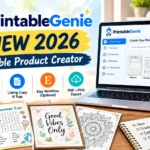
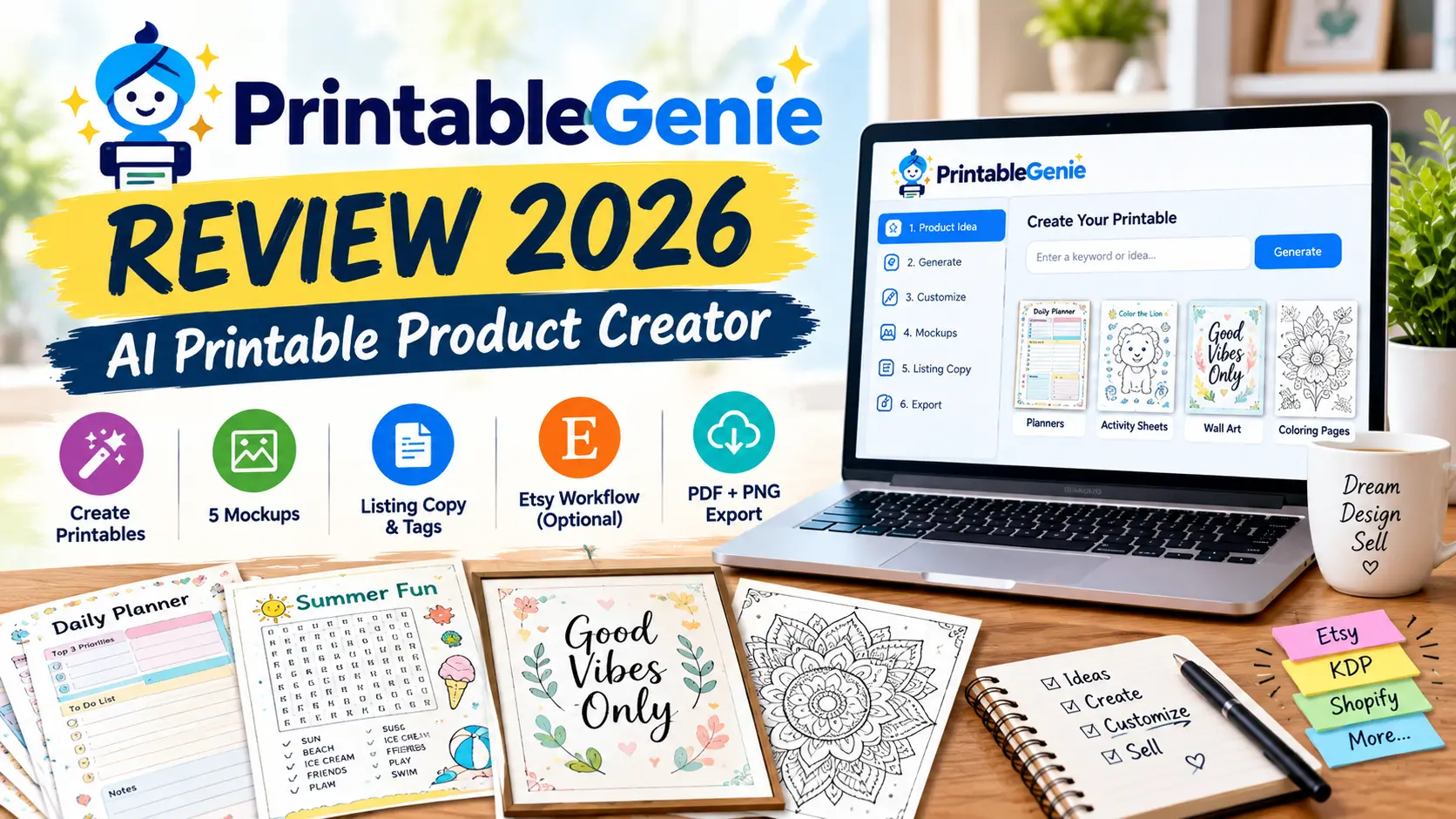
According to the official sales page, PrintableGenie is an AI-assisted printable creation platform that works with ChatGPT and can generate multi-page printable products, 300 DPI PDF files, product mockups, listing copy and customer delivery packages. It also offers an optional Etsy integration for staging listings as drafts inside Etsy Shop Manager.
But is PrintableGenie suitable for beginners?
What does it actually include?
How does the Etsy integration work?
And what should you know before purchasing?
Let’s take a closer look.
Product Details
| Product Name | PrintableGenie |
| Vendor | Jercallora |
| Official Website | www.printablegenie.com |
| Bonuses | Access Your Bonuses |
| Pricing | $17.00 |
| Main Purpose | AI-assisted printable product creation |
| Primary Workflow | Create, package and prepare digital printables. |
| OTO’s | Yes |
These details are based on the current product information and may change.

What Is PrintableGenie?
PrintableGenie is an AI-assisted tool designed for people who create and sell digital printable products.
The platform focuses on reducing the number of separate steps involved in creating a printable product.
Instead of creating a printable in one application, designing mockups somewhere else, writing listing copy manually and then preparing customer files separately, PrintableGenie attempts to combine these tasks into one workflow.
The official sales page describes the system as a 300 DPI commercial printable studio and says that users can start with a single idea or keyword.
Examples of products mentioned on the sales page include:
- Planners
- Kids activity packs
- Educational worksheets
- Budgeting sheets
- Wall art
- Mystery puzzles
- Teacher resources
- Meal planners
- Small-business templates
- Party games
- Colouring products
- Parenting logs
The platform also supports custom printable niches rather than being limited to one specific product category.
🚀 Key Features of PrintableGenie
AI-Assisted Printable Creation
The central feature of PrintableGenie is its AI-assisted creation workflow.
According to the sales page, users can provide an idea or keyword along with settings such as paper size and page count.
The system then works through the printable-generation process inside the ChatGPT-based workflow.
For someone who regularly creates digital products, having a structured workflow can be more convenient than starting every project from a blank design canvas.
However, users should still inspect generated pages before selling them.
AI-generated content can contain design inconsistencies, wording problems or unsuitable elements, so human review remains important.
300 DPI Print-Ready PDF
PrintableGenie advertises a 300 DPI print-ready PDF workflow.
The sales page says the system creates vector-style PDF masters with clean margins and supports standard sizes, including:
- US Letter
- A4
- 6 × 9
It also mentions portrait and landscape orientation options.
High-resolution output can be important for printable products because customers may print the files at home or through a professional print service.
Still, sellers should check the actual exported file before listing it.
A product description should not promise a specific print result unless the final files have been checked.
Five Product Mockups
PrintableGenie also generates five listing mockups.
The sales page describes the mockup set as including different presentation styles such as:
- Hero lifestyle flatlay
- Multi-page collection spread
- Real-life framed or desk display
- Angled multi-page spread
- Home-office workspace scene
Mockups are useful because shoppers usually see the product preview before deciding whether to open the listing.
Having several views can help a seller show different parts of a printable collection.
Optional Etsy Integration
One of the more notable features is the optional Etsy integration.
PrintableGenie uses Etsy’s official API according to its documentation.
The integration is designed to create a draft listing inside Etsy Shop Manager rather than automatically publishing a live listing without review.
The workflow is approximately:
Connect Etsy → Generate Product → Prepare Listing → Stage Draft → Review in Etsy → Publish Manually
This distinction is important.
PrintableGenie says it follows a draft-only principle, meaning the seller gets an opportunity to review the staged listing before deciding whether to publish it.
Etsy OAuth Security
According to PrintableGenie’s technical documentation, the Etsy connection uses OAuth 2.0 with PKCE.
The platform says it requests permissions related to reading the shop ID and creating and verifying draft listings.
It states that it does not request access to seller bank information, billing profiles, customer messages or transaction histories.
The privacy documentation also describes token encryption and seller controls for disconnecting an Etsy shop.
Users should still review the current privacy policy and permissions displayed during the Etsy authorisation process before connecting an account.
Seller Master ZIP
PrintableGenie creates a larger package for the seller.
The sales page describes the Seller Master ZIP as containing items such as:
- 300 DPI PDF
- Individual PNG pages
- Five mockups
- SEO listing text
This can make it easier to keep the complete source package together.
For sellers with many digital products, organised files can save time when updating listings later.
Customer Delivery ZIP
The platform also prepares a separate customer delivery package.
The purpose is different from the Seller Master ZIP.
The customer package is intended to contain the files that should actually be delivered to the buyer.
The sales page says it is designed around Etsy’s digital-file upload limitations.
Keeping the seller’s master files separate from the customer’s download package can be useful when managing digital products.
Commercial Rights
According to the current sales page, the front-end purchase includes a commercial rights licence.
The vendor says users can sell the printable creations through platforms such as:
- Etsy
- Shopify
- Amazon KDP
- Stan Store
- Gumroad
- Personal websites
However, sellers should still read the current licence terms carefully.
Commercial rights to generated content do not automatically override the terms of the marketplace where the product is sold.
⚙️ How Does PrintableGenie Work?
The basic workflow can be divided into several stages.
Step 1: Choose Your Product Idea
Start with a printable idea.
For example:
Weekly Meal Planner
or
Kindergarten Activity Pack
or
Small Business Expense Tracker
The idea acts as the starting point for the creation process.
Step 2: Provide the Product Details
The sales page says users can provide information such as:
- Topic
- Paper size
- Number of pages
The system then uses these instructions to build the product.
Step 3: Generate the Printable Pages
PrintableGenie works through the ChatGPT-based workflow to generate the printable pages.
The vendor describes this as an automated multi-step process.
The actual output should still be checked for:
- Spelling
- Layout
- Page consistency
- Instructions
- Readability
- Missing elements
- Printing issues
Step 4: Generate Mockups
The system creates five product presentation images.
These can be used as listing images to show potential customers what the printable looks like in practical settings.
Step 5: Prepare Listing Copy
PrintableGenie generates listing information such as the title, description and search tags.
Before publishing, sellers should make sure the copy accurately matches the actual product.
Step 6: Package the Files
The system creates separate packages for the seller and customer.
This makes it easier to distinguish the master assets from the files intended for delivery.
Step 7: Connect Etsy If Needed
Etsy integration is optional.
Users who don’t want to connect to Etsy can download their files and use another marketplace or website instead.
Step 8: Stage the Etsy Draft
If Etsy is connected, PrintableGenie can create a draft listing through the Etsy API.
The seller can then open Etsy Shop Manager, inspect the listing and publish it manually.
The official documentation specifically describes the workflow as draft staging rather than unrestricted automatic publishing.
👥 Who Is PrintableGenie Best For?
🛍️ Etsy Printable Sellers
People who already sell or plan to sell digital printables on Etsy may find the combined creation and listing workflow useful.
🎨 Beginners
Beginners who don’t have extensive graphic-design experience may appreciate having a structured process instead of starting with a blank design canvas.
The vendor specifically positions the product for beginners.
📚 Educators
Teachers and homeschool creators can potentially use the system for worksheets, activity packs and educational printables.
However, educational content should always be reviewed for accuracy before distribution.
💼 Digital Product Creators
People who create several different types of downloadable products may benefit from having page generation, mockups, packaging and listing preparation in one workflow.
🌐 Sellers Using Multiple Platforms
Because the Etsy connection is optional, users can download the generated packages and use them on other supported sales channels, subject to each platform’s rules.
🚫 Who May Not Need PrintableGenie?
PrintableGenie may not be necessary for everyone.
For example, experienced designers who already have:
- A preferred design application
- Their own printable templates
- A mockup workflow
- An established Etsy SEO process
- Their own file-packaging system
may prefer to continue using their existing tools.
Likewise, people who rarely create digital products may not need an all-in-one printable workflow.
💰 PrintableGenie Pricing
The current sales page lists the front-end offer at:
$17 One-Time Payment
The page describes this as an early-bird launch price and states that the front end includes lifetime access without recurring subscription fees.
The advertised package includes:
- PrintableGenie Core Engine
- 300 DPI PDF generation
- Five mockups
- Listing copy and tags
- Etsy draft staging
- ZIP packaging
- Commercial rights
- Lifetime updates according to the offer
The vendor also assigns a combined “value” of $1,679 to the included components.
That figure is a vendor-stated value, not an independent market valuation, so buyers should evaluate the actual features rather than treating the stated value as a guaranteed monetary saving.
Pricing may change after the launch period.
⚠️ Things to Consider Before Buying
1. AI Output Still Needs Human Review
Automation can save time, but it does not eliminate quality control.
Check every printable before selling it.
2. Etsy Integration Is Optional
You do not have to connect an Etsy shop.
The files can be downloaded and used through other sales channels according to the applicable licence and marketplace rules.
3. Draft Staging Is Not the Same as Automatic Publishing
This is an important distinction.
PrintableGenie’s technical documentation says that the Etsy integration creates a draft listing for the seller to review.
The seller remains responsible for the final publication decision.
4. Commercial Rights Don’t Guarantee Sales
Having commercial rights means you may have permission to sell the generated products under the stated licence.
It does not guarantee:
- Etsy traffic
- Sales
- Search rankings
- Customer demand
- Profit
- Business success
Those results depend on many factors outside the software.
5. Marketplace Rules Still Apply
If you sell products through Etsy, Shopify, KDP or another marketplace, you are still responsible for following the platform’s current policies.
A tool cannot remove those responsibilities.
⚖️ PrintableGenie Pros and Cons
✅ Pros
- AI-assisted printable creation workflow
- Designed for digital-product creators
- 300 DPI PDF workflow
- Five product mockups
- Listing title and description generation
- 13 search tags
- Optional Etsy API integration
- Etsy draft staging instead of direct uncontrolled publishing
- Seller Master and Customer Delivery ZIPs
- Commercial rights stated as included
- Multiple printable niches
- No recurring front-end subscription stated
- 30-day guarantee advertised
❌ Cons
- AI-generated content still needs human review
- Etsy integration requires account authorisation
- Product quality depends partly on the generated output and user instructions
- $17 pricing is promotional and may change
- Vendor-stated value should not be treated as an independent valuation
- Marketplace policies still apply
- Commercial rights do not guarantee sales
- Users who already have established design workflows may not need all features
Frequently Asked Questions
❓ What is PrintableGenie?
PrintableGenie is an AI-assisted printable product creation platform designed to help users generate printable pages, mockups, listing copy and packaged digital files.
❓ Does PrintableGenie work with ChatGPT?
Yes. The official product information describes PrintableGenie as a ChatGPT-based workflow supported by a companion Chrome extension.
❓ Does PrintableGenie require Etsy?
No. Etsy integration is optional. Users can download the generated packages and use them through other channels, subject to the applicable licence and platform rules.
❓ Can PrintableGenie publish directly to Etsy?
The current documentation describes the Etsy feature as draft staging.
The generated listing is placed into Etsy Shop Manager as a draft for seller review rather than being published live without review.
❓ Does PrintableGenie create mockups?
Yes.
The sales page lists five photorealistic studio and lifestyle mockups.
❓ What print quality does it support?
The vendor states that PrintableGenie generates 300 DPI print-ready PDF masters.
Users should still inspect the final exported files before selling them.
❓ Does it have a monthly subscription?
The current sales page states that the front end uses a one-time payment with no recurring subscription.
❓ Is there a refund?
The sales page currently advertises a 30-day money-back guarantee.
📝 Final Verdict
PrintableGenie is an AI-assisted printable product creation platform that attempts to combine several common digital-product tasks into one workflow.
Its feature set includes:
Printable creation → 300 DPI PDF → Mockups → Listing Copy → Search Tags → ZIP Packaging → Optional Etsy Draft Staging
The platform also provides commercial-use rights according to its current sales page and supports multiple printable categories.
The Etsy integration is particularly notable because the official documentation describes it as a draft-only workflow. Sellers can review the generated listing inside Etsy Shop Manager before publishing it.
The current listed launch price is $17, and the sales page advertises a 30-day money-back guarantee.
However, potential buyers should not judge the product only by the vendor’s large value claims or automation promises.
The practical question is simpler:
Will the workflow save you enough time compared with the tools you already use?
For beginners and frequent printable creators, the combination of product generation, mockups, listing preparation and file packaging may be the main attraction.
For experienced designers, the value will depend on how well it fits their existing process.
Most importantly, PrintableGenie should be viewed as a workflow and productivity tool, not as a guarantee of Etsy traffic, sales or profit.